
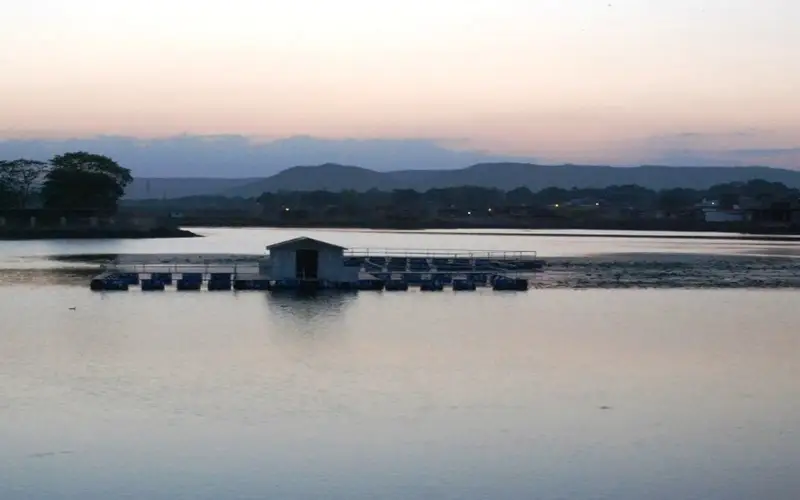
स्वागत है · लोहरदगा जिला Apna Lohardaga · Jharkhand
Lohardaga: எல்லாம் ஒரே இடத்தில்
🎤 மைக்கை அழுத்தி உங்களுக்கு வேண்டியதைச் சொல்லுங்கள் Tap the mic and say what you need
சேவைகள் Services
அனைத்தும் › மண்டபம்Halls
 மருத்துவர்Doctors
 பழுது நீக்கம்Repairs
 உணவுFood
 விவசாயம்Farming
 கல்விEducation
 கடைகள்Shops
 போக்குவரத்துTransport
இன்று Today
மேலும் ›உடனடி உதவி Quick help
இன்று · Lohardaga
⚠️ Report✅ இன்னும் எதுவும் இல்லை.
மேலும் சேவைகள் · More Services
ஒவ்வொரு கடை, சேவை, அலுவலகம் — அழைப்பு, வாட்ஸ்அப், வரைபடத்துடன்.
 அன்றாடத் தேவைகள்Daily needs
 கட்டுமானம், பொருட்கள்Construction & materials
 வாகனங்கள், கேரேஜ்Vehicles & garages
 மனை, வாடகைReal estate & rentals
 திருமணம், நிகழ்ச்சிகள்Weddings & events
 அழகு, உடற்பயிற்சிBeauty & fitness
 தங்கும் விடுதிகள்Hotels & stays
 உள்ளூர் தயாரிப்புகள்Made in Bidar
 தொழில் வல்லுநர்கள், நிதிProfessionals & finance
 குடிமக்கள் சேவைகள்Citizen services
 வழிபாட்டுத் தலங்கள், சமூகம்Worship & community
 Ask Lohardaga
 Your next opportunity
 வேலைகள்Jobs
Apna Lohardaga · लोहरदगा जिला
Lohardaga புகழ்பெற்றவை
The pride of Lohardaga, Jharkhand.
இன்றைய புதியவை
இன்னும் எதுவும் இல்லை. Post the first one.
Lohardaga சுற்றிப் பாருங்கள்
Plan a trip →Lohardaga district is one of the twenty-four districts of the Indian state of Jharkhand. The district is named after the town of Lohardaga, the administrative headquarters of the district. The district was created from a portion of Ranchi district in 1983.
10 நிமிடத்தில் உங்கள் வணிகத்தை ஆன்லைனில் கொண்டு வாருங்கள்
Just tell us your business name and type — your site is ready instantly. Add photos from your phone. No technical knowledge needed.
- Your own site: name-lohardaga.mydistrict.in
- Bookings, menus or appointments
- WhatsApp, call and map buttons
- UPI payment details & QR poster
- Listed in the MyDistrict app
- Visitor and enquiry reports
உங்கள் மாவட்டம் உங்கள் கையில்
Add MyDistrict to your home screen — it works like an app, even on slow networks. Business owners manage their site, bookings and enquiries from the same app.